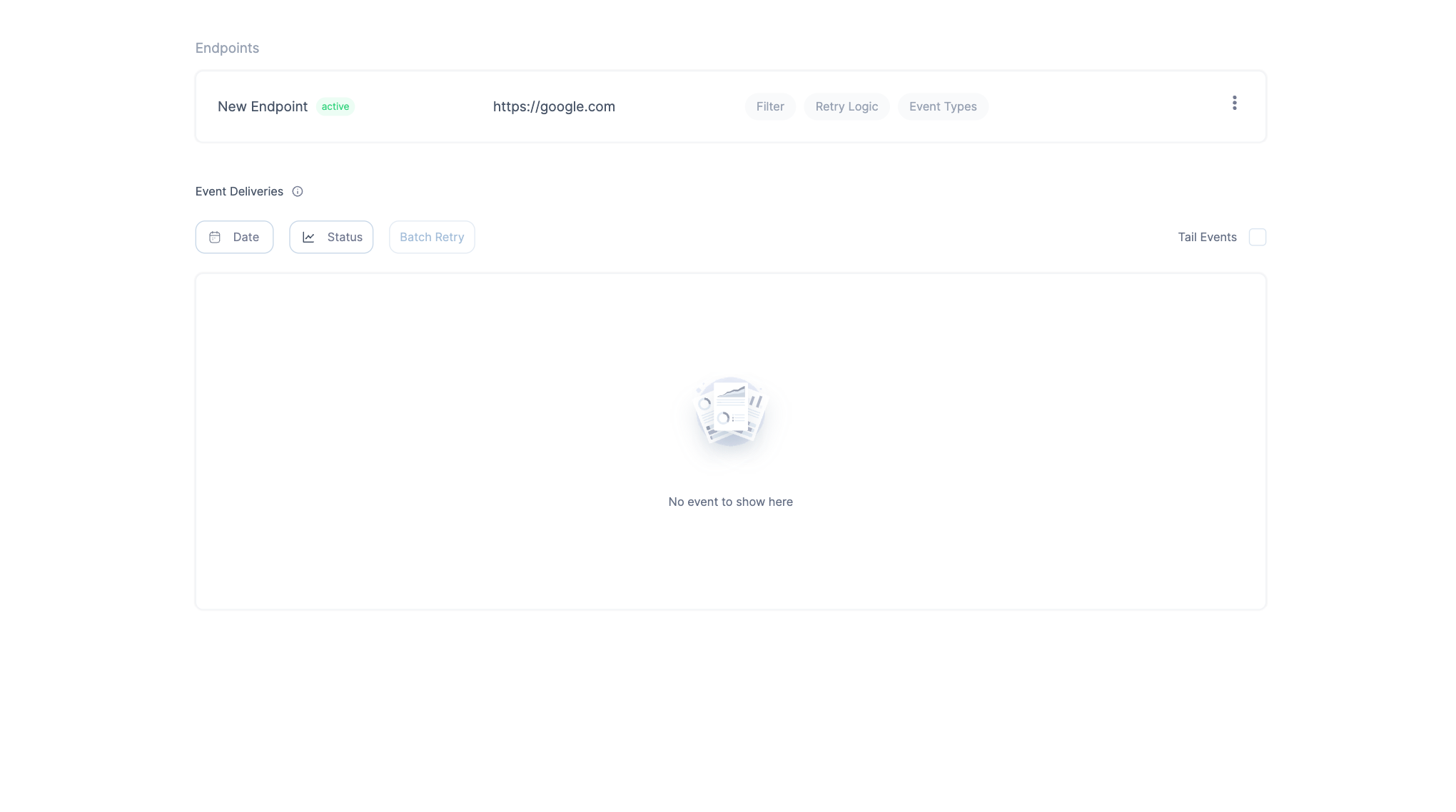
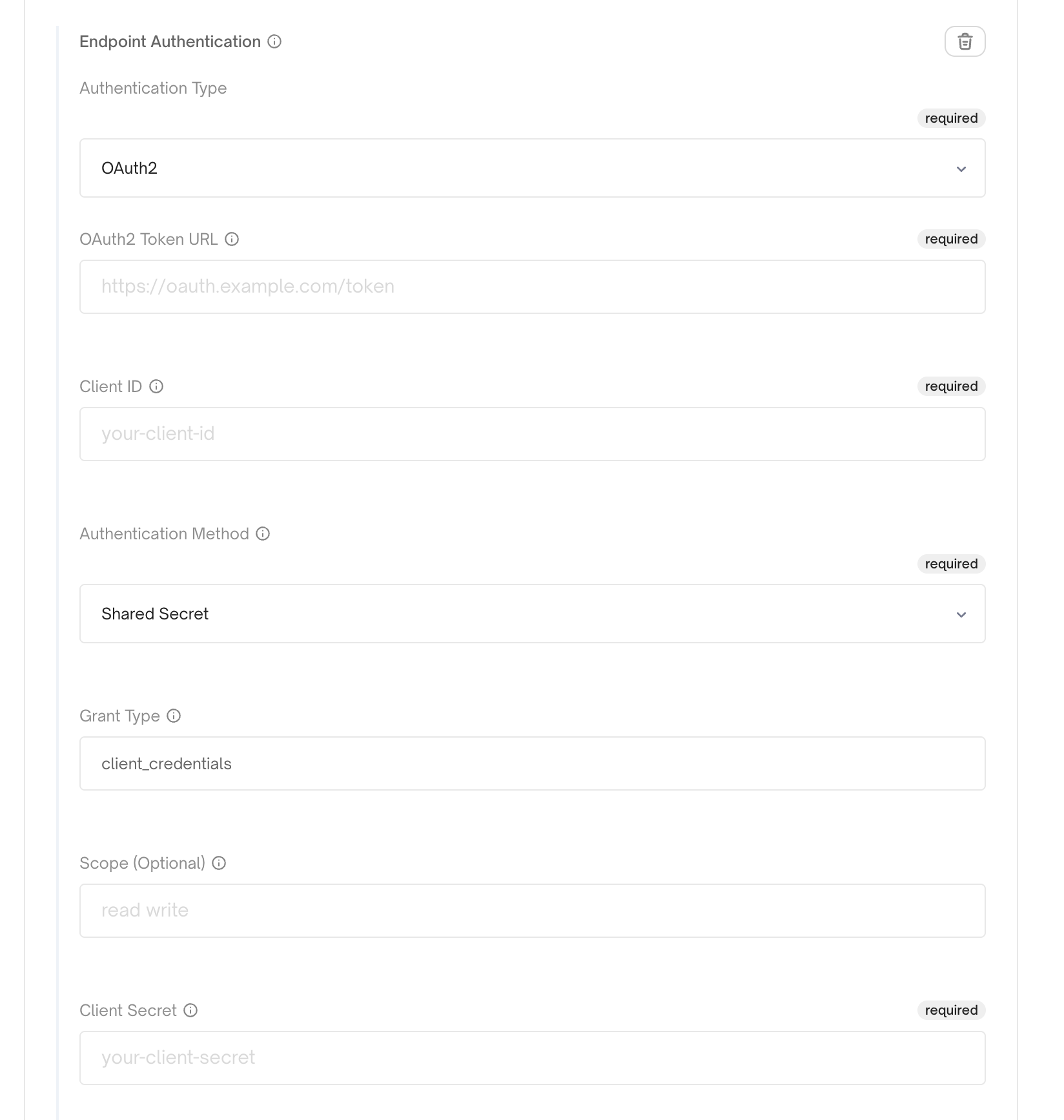
http timeout which denotes how long Convoy should wait for a response before timing out, an alert configuration setting which gives you the option to get notified when an endpoint’s status changes, a rate limit setting which allows you to match your consumers own rate limit, and an authentication setting which allows your consumer set an additional level of security on the endpoint.
For ping on create/update, TLS, and dispatcher settings (skip_ping_validation, custom CA, allow/block lists), see Endpoint verification and outbound connections.
To provision many endpoints (and per-endpoint subscriptions) in one project via the API, see Bulk onboard in API-driven onboarding.
Endpoint State
An endpoint can have any of the states below:Active: This state means the endpoint is responding normally, and Convoy will continue to send events to it.Inactive: This means the endpoint has consecutively failed to process events. In this state, all new events will be set to theDiscardedstate and will not be sent to the endpoint. To re-activate the endpoint — retry any failed or discarded event delivery, if it’s successful, the endpoint will be set toactive. Then you can batch retry all failed events that weren’t processed while the endpoint wasinactive.Paused: In this state, the endpoint has been manually disabled to stop receiving events. All new events will be set to theDiscardedstate and will not be sent to the endpoint. To re-activate the endpoint, un-pause the endpoint, and it will be set toactive.Pending: This state indicates that the endpoint was previouslyInactiveand a failed or discarded event delivery is being resent to the endpoint. If successful, the endpoint will be set toActive.
Zero Downtime Key Rotation
Because webhooks rely on a shared secret that needs to be rotated periodically to be kept safe, Convoy ships with a mechanism for zero downtime key rotation which is crucial for webhooks as it ensures continuous and secure operations. It facilitates regular cryptographic key rotations, mitigating risks associated with key compromises, while ensuring there’s no service interruption, which is vital for real-time processing of webhooks events. It also aids in meeting regulatory compliance, maintaining clear audit trails, and can be automated to reduce operational burdens of key rotations. Additionally, it fosters customer trust by showcasing a commitment to security and service availability, This can be triggered from both the API — this endpoint and the dashboard, see below: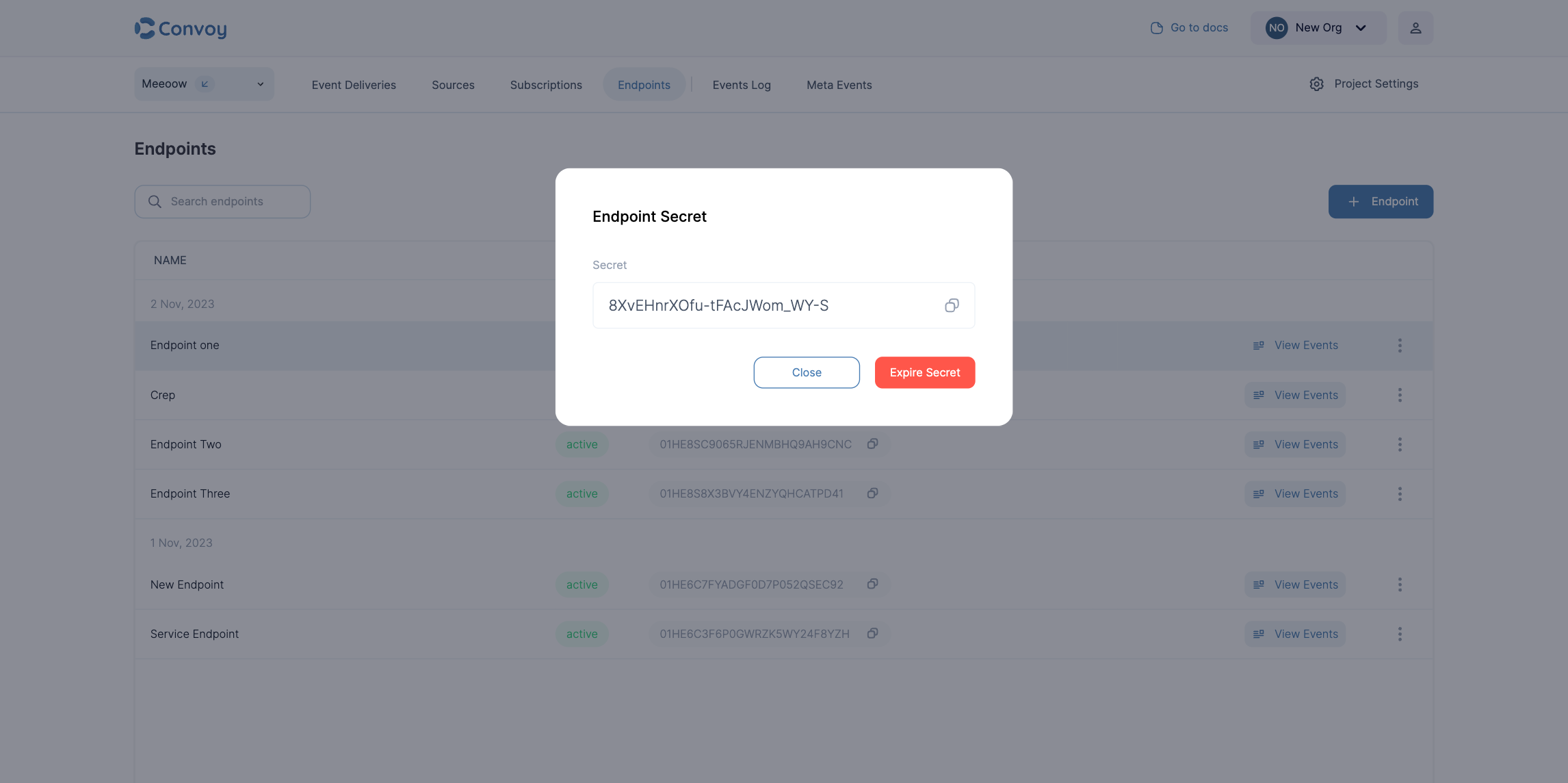
Endpoint authentication
Endpoint authentication is a scenario where the endpoint owner needs to specify an authentication mechanism separate from signatures so Convoy can call the destination successfully. Convoy supports API key, OAuth2 client credentials, and HTTP Basic authentication on outbound deliveries.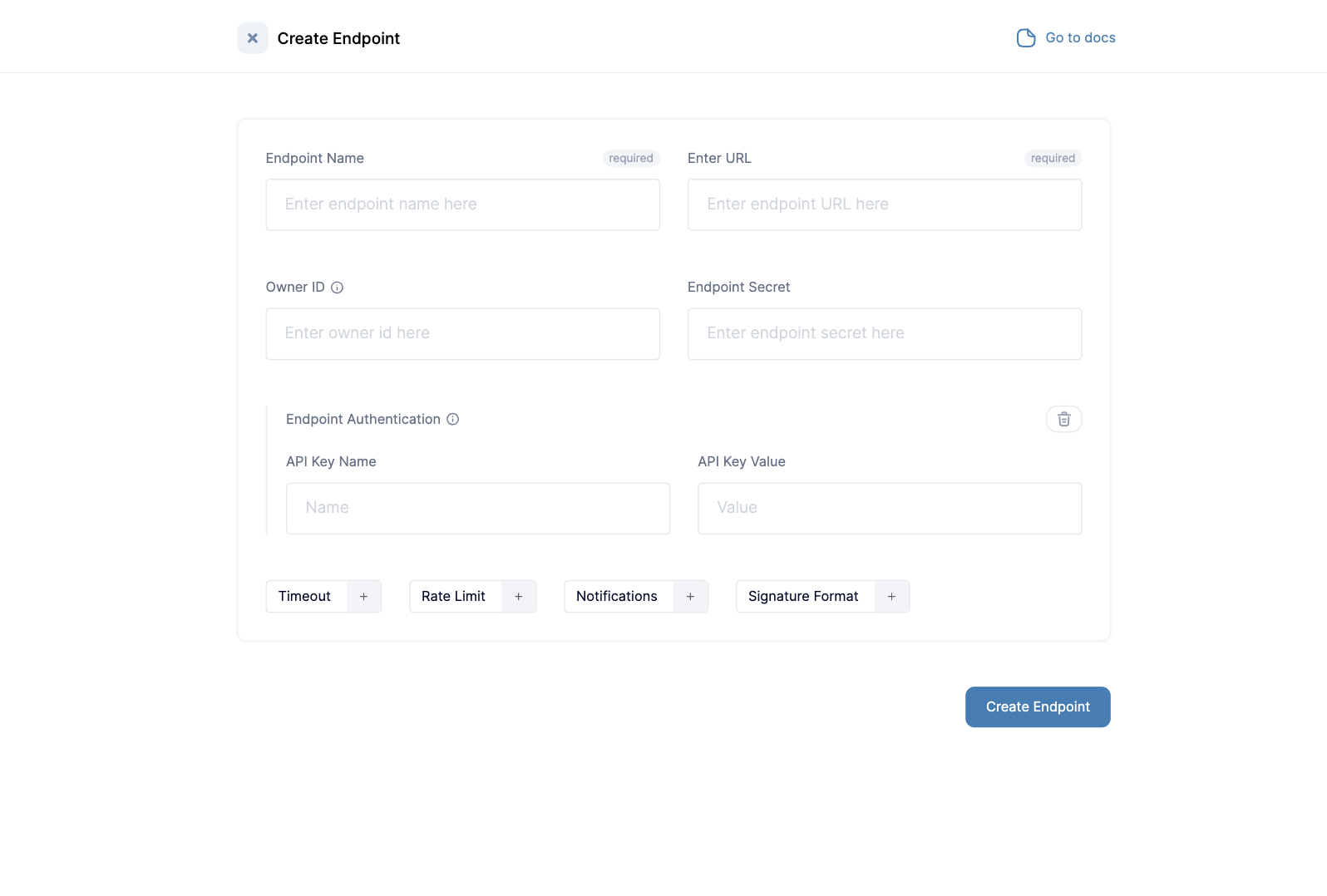
Basic authentication (outbound)
When the endpoint expects HTTP Basic authentication, set authenticationtype to basic_auth and set basic_auth with JSON fields username and password. Convoy sends an Authorization: Basic header built as Base64(username + : + password).
Basic auth for endpoints is gated by an enterprise license (entitlement basic_auth_endpoint_auth) and the organisation early adopter flag with feature key basic-auth-endpoint (enable under Organisation Settings → Early Adopter Features). Until both are enabled, create/update and delivery behaviour will reject or skip Basic auth as implemented in your Convoy version.
See also Feature flags and the OpenAPI specification (authentication.type: api_key | oauth2 | basic_auth).
mTLS Client Certificate Support
Some endpoints require mutual TLS (mTLS) authentication, where both the client and server present certificates to establish a secure connection. Convoy supports mTLS client certificates for endpoints that require certificate-based authentication. When you configure an mTLS client certificate on an endpoint, Convoy will present the client certificate during webhook delivery to that endpoint. This is especially useful for enterprise integrations that require certificate-based authentication. To configure mTLS:- Provide your client certificate (PEM format)
- Provide your client private key (PEM format)
- Configure these in the endpoint settings via the API or dashboard
OAuth2 Client Credentials Authentication
Some endpoints require OAuth2 authentication using the client credentials flow. Convoy supports OAuth2 token exchange for endpoints that need to authenticate with an OAuth2 provider before receiving webhooks. When you configure OAuth2 authentication on an endpoint, Convoy automatically exchanges client credentials for an access token and includes it in theAuthorization header when delivering webhooks. Tokens are cached and refreshed automatically before expiration.
Convoy supports two OAuth2 authentication types:
- Shared Secret: Uses
client_idandclient_secretfor token exchange - Client Assertion: Uses JWT client assertion with ES256 signing (requires JWK with private key)
- Provide your OAuth2 token URL
- Provide your client ID
- Choose authentication type:
- For shared secret: provide your
client_secret - For client assertion: provide JWK with private key, issuer, and subject
- For shared secret: provide your
- Configure these in the endpoint settings via the API or dashboard
Outbound authentication FAQ
-
Which authentication types are supported?
api_key(static header name and value),oauth2(token URL + shared secret withclient_id/client_secret, or client assertion with a JWK and JWT),basic_authwhen your license and organisation early adopter flag allow it, plus mTLS client certificates for TLS client auth. See the OpenAPI specification for request shapes. -
Does OAuth2 cover “client ID and client secret”? Yes — use the shared secret OAuth2 type with your provider’s token URL,
client_id, andclient_secret. For providers that require a JWT assertion instead of a secret, use client assertion as described above. -
Can I send multiple custom headers or arbitrary header maps? Not as a first-class endpoint auth type. The
api_keytype is a singleheader_name/header_valuepair. For more complex cases, discuss options with your Convoy contact (workarounds may be product-specific). -
How does Basic Auth differ from mTLS? Basic Auth adds an
Authorization: Basicheader. mTLS presents a client certificate during the TLS handshake. They address different server requirements and are configured separately.
Content Type
Endpoints can be configured to send webhook payloads in different content types. By default, Convoy sends events asapplication/json. You can also configure endpoints to send events as application/x-www-form-urlencoded for endpoints that expect form-encoded data instead of JSON.
Configure the content type in your endpoint settings via the API or dashboard.
Endpoint Owner ID
Endpoint Owner ID is a unique ID for identifying a group of endpoints. It is useful for fanning out an event to multiple endpoints and creating portal link for multiple endpoints. It is typically set by you, the user and should have meaningful significance within your internal systems, serving the purpose of logically grouping endpoints.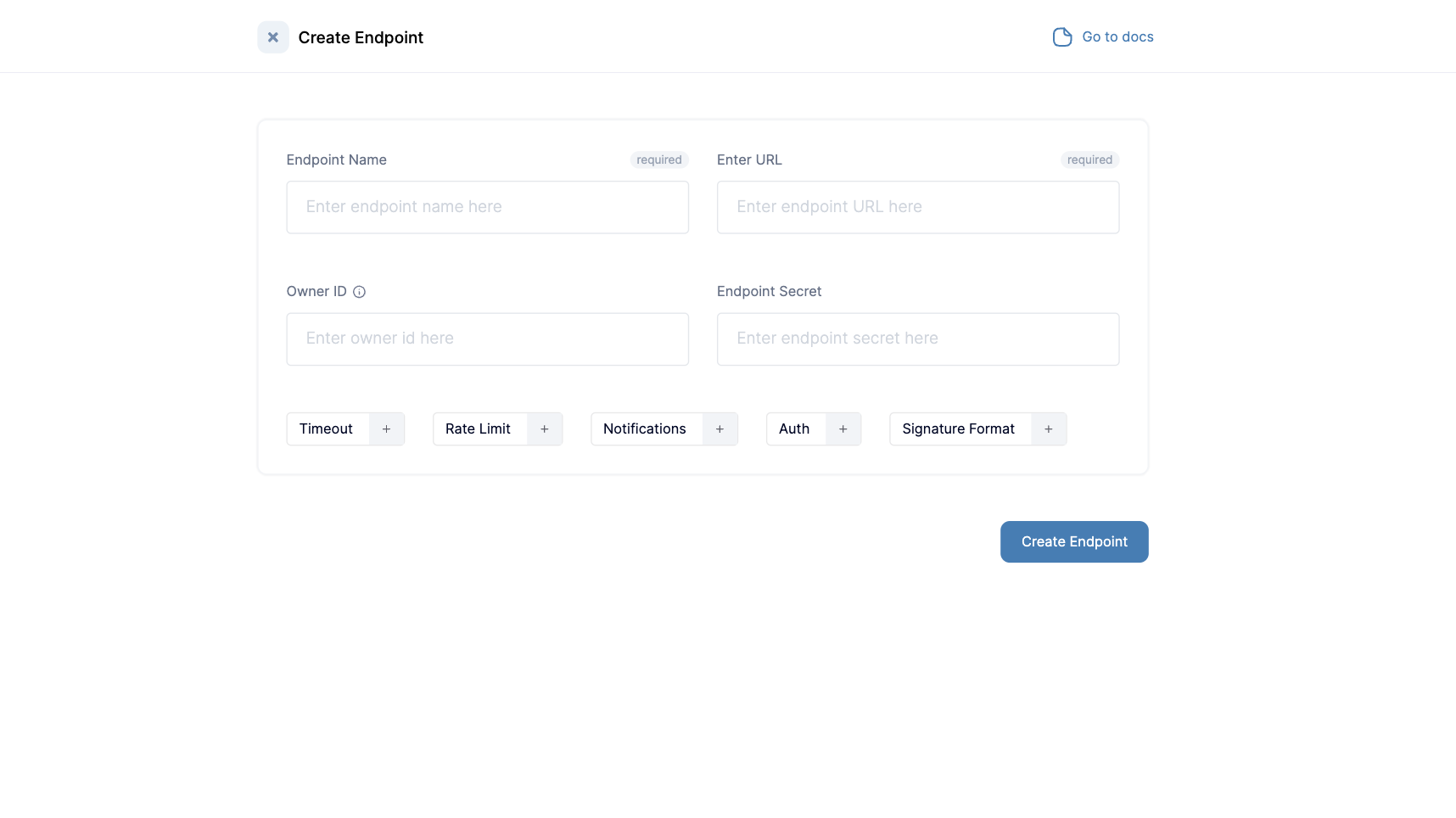
Portal Links
A Portal Link is used to generate a consumer-facing dashboard to display information on an endpoint’s event deliveries. The portal link serves as a medium to quickly generate portals for users to review and debug events from a publisher. You can generate one time links via the dashboard or long-use links to be embedded in your dashboards via the API. To learn more, click here